All your coaching, in one place.

Build programs, review technique on video, and see every athlete's progress.

Free for up to 5 athletes. No credit card.
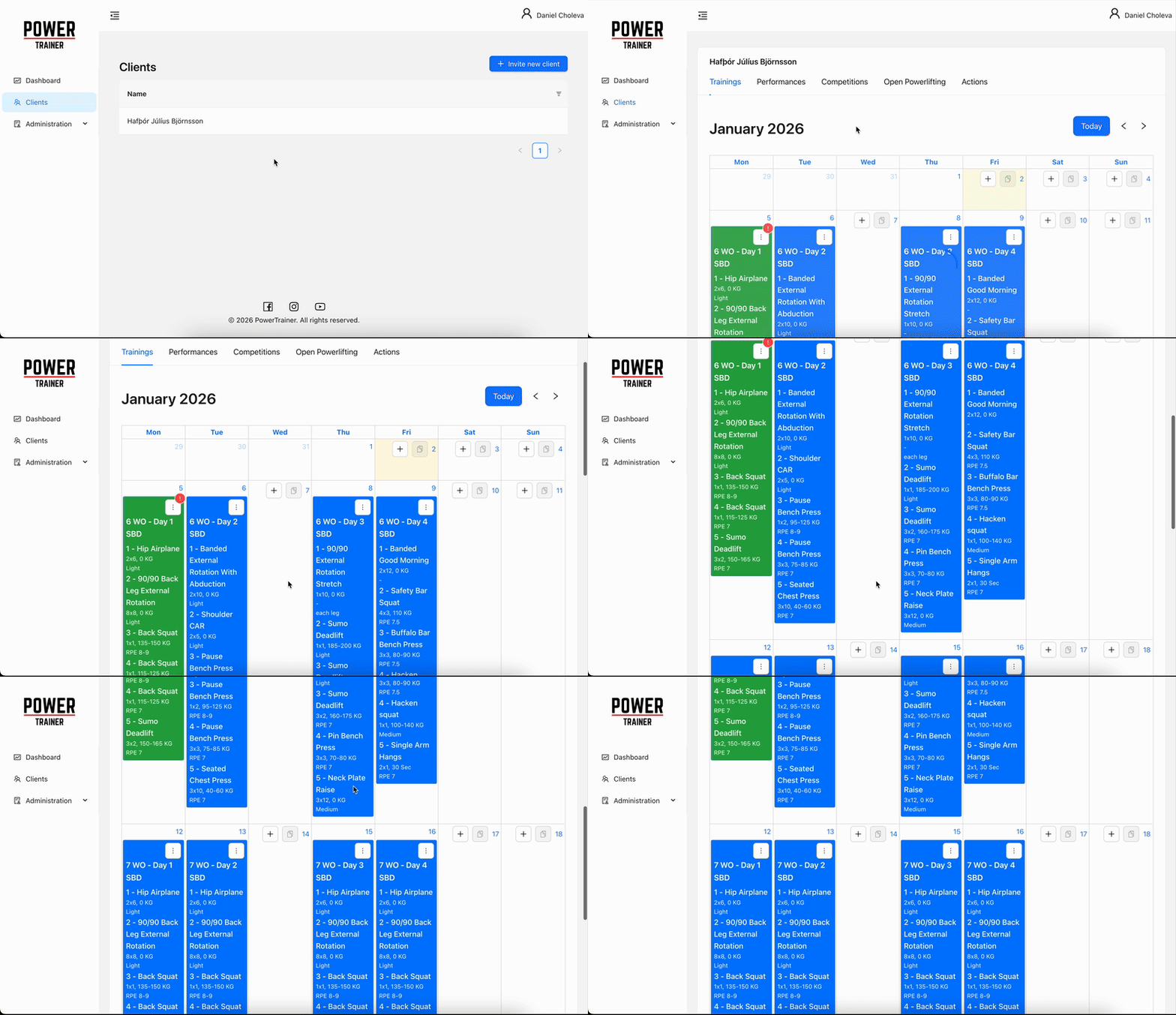
Calendar — dragging a session to another day

From plan to feedback

Plan it, share it, review it, adjust it — without leaving the app.
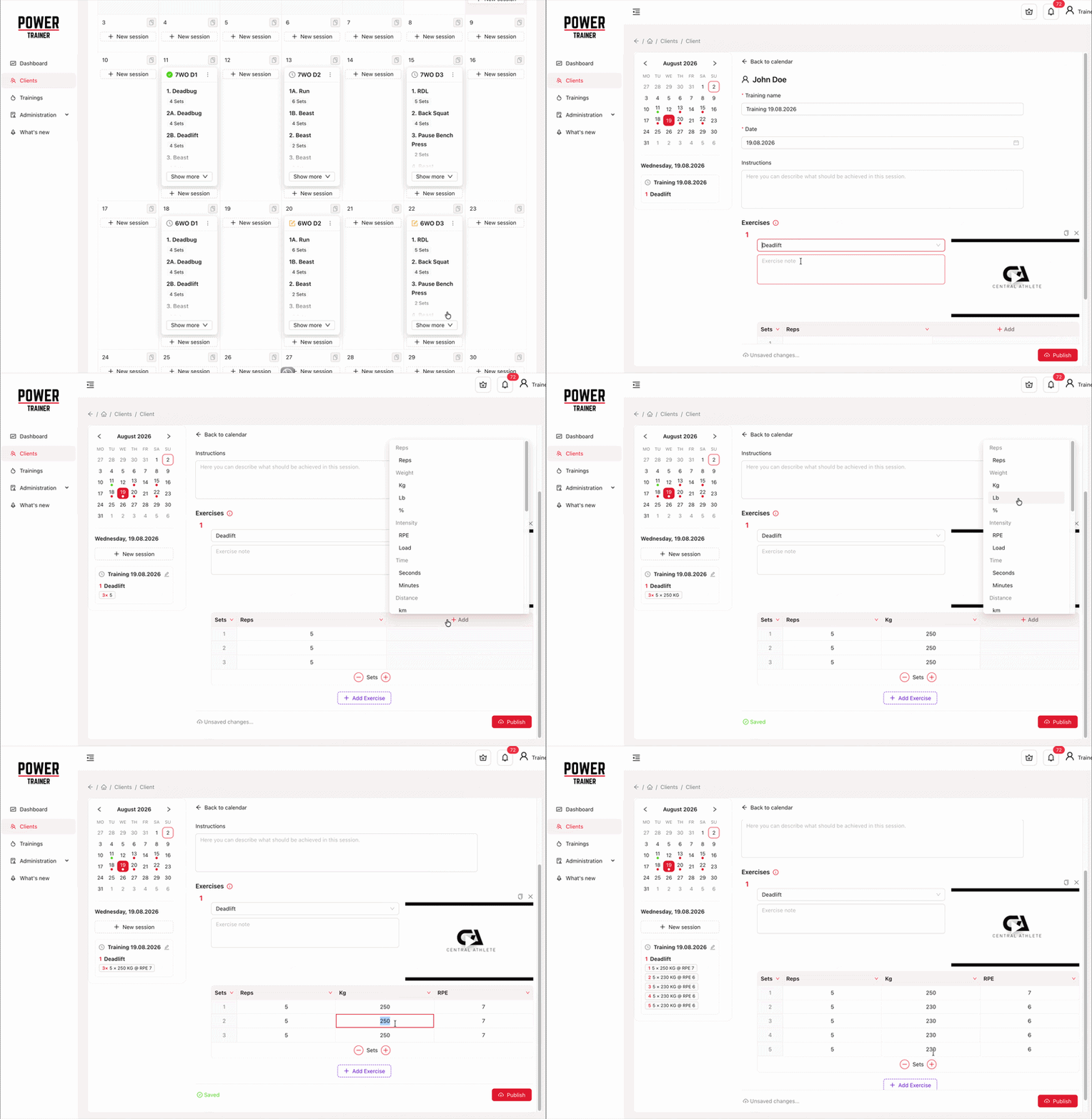
Training editor — building a session set by set

Build it set by set

Every set gets its own reps, load and difficulty target — not one prescription for the whole exercise. Athletes log what they actually performed, set by set.

Draft it, publish it, drag it

Build in private with autosave — your athlete sees nothing until you publish. Then move a session to another day by dragging it: month view on desktop, week on your phone.
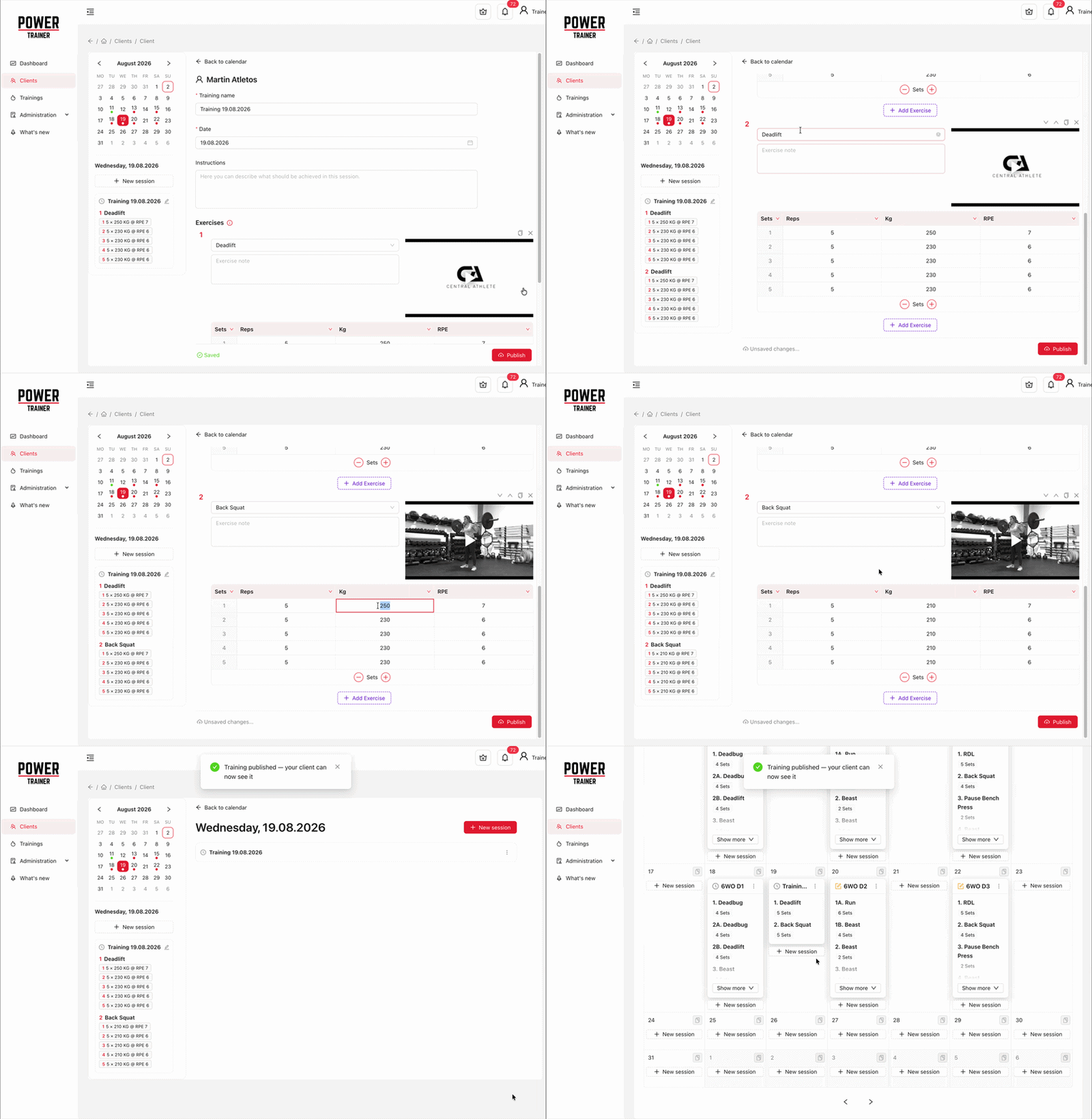
Draft to published, from the calendar
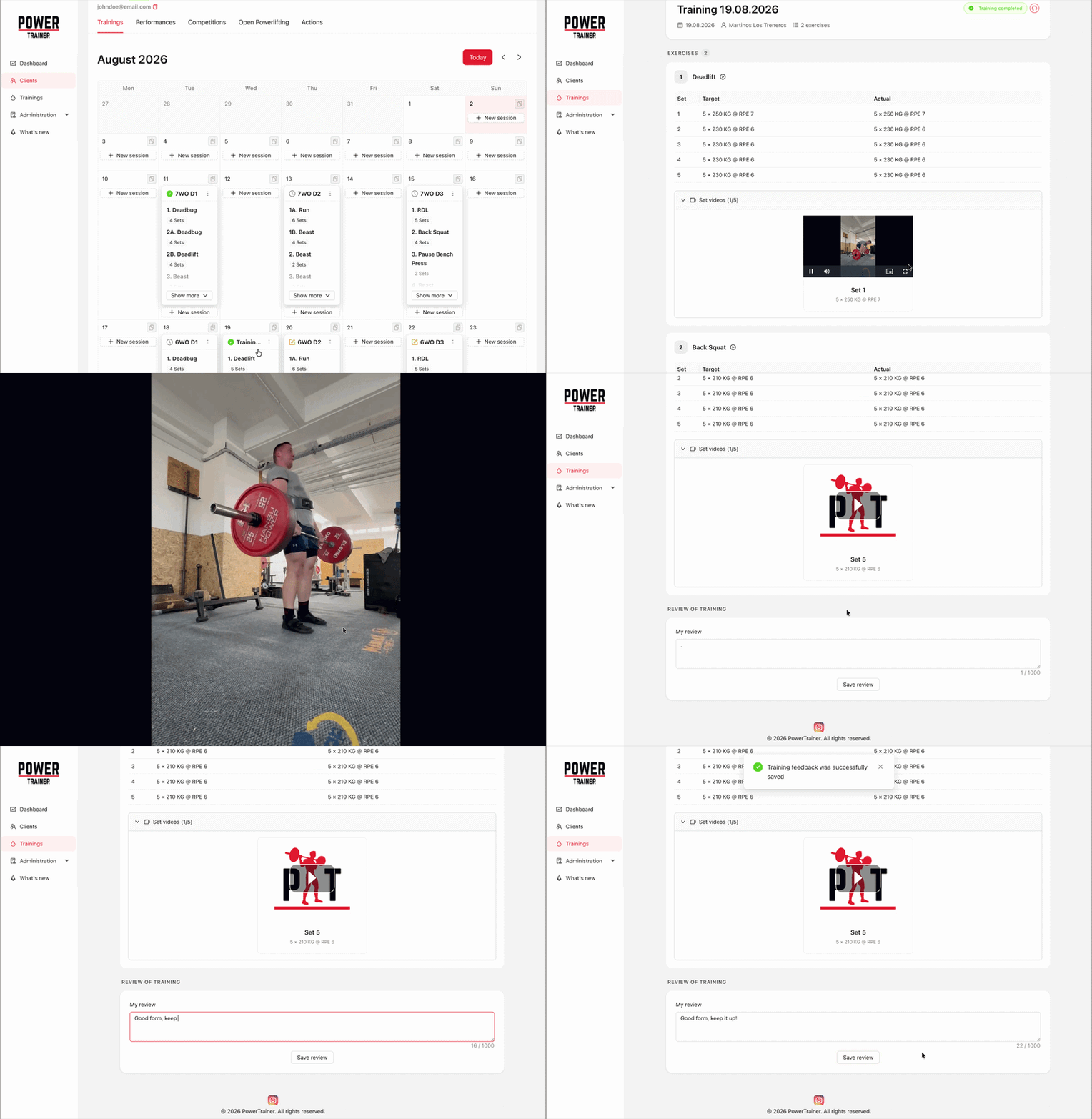
Video feedback on an athlete's attempt

Review the lift, not just the numbers

Athletes upload form videos from the session. Your comments land on that training, not in a chat thread you'll never find again.


One platform, both sides of the coaching relationship

For trainers

  • Build programs set by set, in any unit you coach in
  • Deliver them straight to your athlete's calendar
  • Review form videos and answer where the work happened
  • See who trained, what they hit, and what's next
See what trainers get

For athletes

  • Your coach's plan in your pocket, session by session
  • Log every set as you go — and add your own columns
  • A demo video on every exercise in the library
  • Or plan your own trainings, competitions and PBs, with no coach at all
See what athletes get

An exercise library you can extend

Browse the public exercise database and build your trainings from it — or add what it is missing.

Pay for the athletes you coach

All prices include VAT.

Free

up to 5 athletes

Free

per month

Pro

up to 20 athletes

300 CZK / €11.99

per month

Studio

up to 50 athletes

600 CZK / €24

per month

Training on your own instead? Solo is 110 CZK / €4.50 a month.

Compare plans

Get started in a few minutes

Shipped recently

We ship every couple of weeks.

1.22.0

Prescribe a pause between sets

  • AddedA training can now say how long to rest between sets. In the editor, each exercise has a Rest between sets switch in the row of the set counter, and turning it on puts a thin strip between the rows — type 90 or 1:30 into the first one and it repeats into every gap below, so the usual case is one entry. To make one gap longer, overwrite it and the ones under it. Write 0 where the next set follows straight on, as a drop set does. Switching the toggle back off clears the pauses on that exercise. The athlete reads it on the training: one line above the sets when every pause is the same, and between the rows when they differ. It works the same in the trainings you write for a client and in the ones you write for yourself.
1.21.0

Trainings stay marked until you review them

  • ImprovedFor trainers: opening a client's completed training no longer marks it as seen. Until now a look was enough for the badge on the calendar and the count on your home page to disappear — so a training you had opened, watched the videos of and meant to come back to looked exactly like one you had finished. Now a training counts as reviewed when you save your feedback on it, or when you press the new Mark as reviewed button in the training itself (it is also in the calendar menu, where Mark as seen used to be). Until then the badge stays, the home widget keeps counting it, and its notification stays unread. Looked at it and have nothing to add? Mark it as reviewed by hand — and you can always take that back.
  • ImprovedAlso for trainers: a client's training no longer offers you the Complete / Undo controls. Completing a training is the athlete's job, and next to the review button the undo circle was one tap away from cancelling a completion by accident. Your own trainings keep both.
1.20.1

Your notifications now come by email too

  • AddedEverything in your notification list now also arrives as an email — a training assigned or completed, feedback on one, a coaching request and its answer, a new review or a changed rating, an invitation answered, an athlete leaving a group. Each email is written in your language and carries a button that opens exactly the page it is about. Your notification list in the app is unchanged, and so are group invitations: those already send their own email with the link to accept.
  • AddedSettings has a new Email notifications tab where you decide which of them reach your inbox: one switch for all notification emails, and under it a switch each for Trainings, Coaching requests, Reviews and Group membership. You only see the kinds that can actually reach you, so as an athlete there are two. Turning them all off keeps your choices below for when you turn them back on, and none of this touches the notification list in the app — everything still shows up there. Every notification email links to this tab in its footer.
  • ImprovedEmails about billing and account access — a failed payment, a grace period starting, athletes being blocked, Solo ending — are always sent, and deliberately have no switch. They are how your subscription and your sign-in keep working.
  • ImprovedThe language you choose is now saved to your account instead of just this browser, so it follows you to another phone or computer — and it is the language every email is written in. A trainer-group invitation arrives in it too; an invitation sent to somebody who has no account yet is in English.
See all updates

Questions?

Drop us a line — we'll get back to you shortly.

Loading...