All your coaching, in one place.

Build programs, review technique on video, and see every athlete's progress.

Free for up to 5 athletes. No credit card.
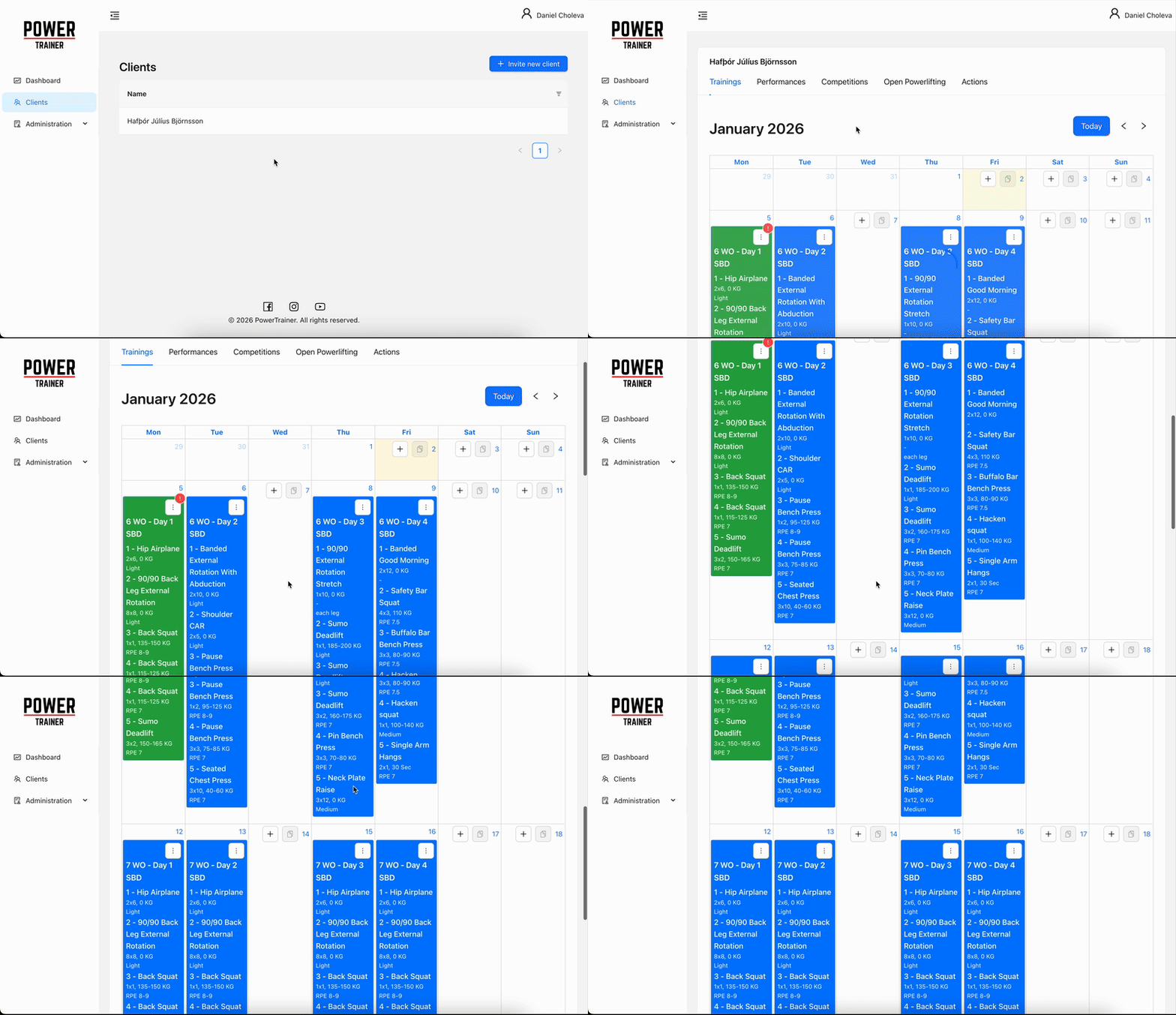
Calendar — dragging a session to another day

From plan to feedback

Plan it, share it, review it, talk it through — without leaving the app.
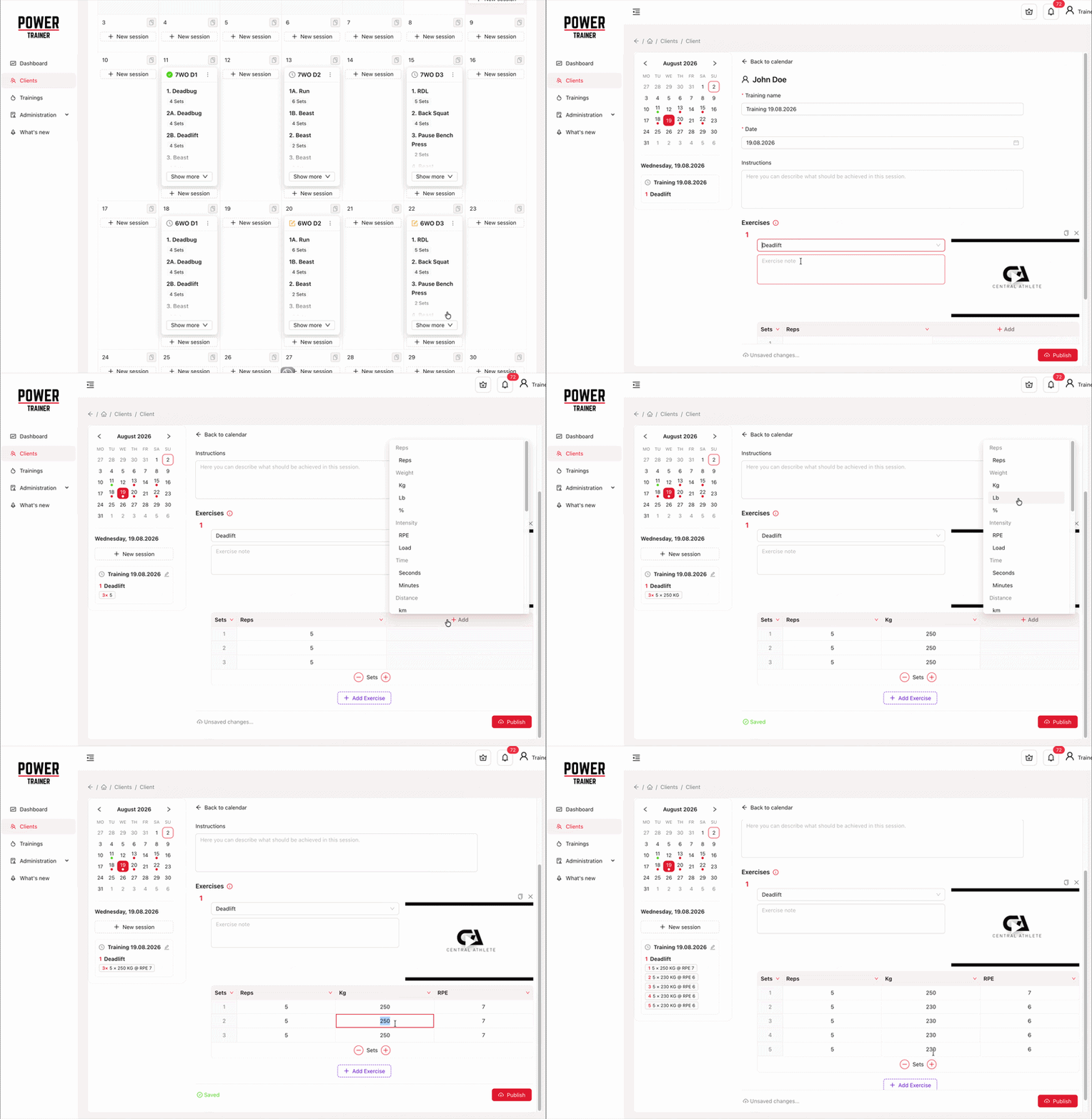
Training editor — building a session set by set

Build it set by set

Every set gets its own reps, load and difficulty target — and the rest before the next one. Not one prescription for the whole exercise. Athletes log what they actually performed, set by set.

Draft it, publish it, drag it

Build in private with autosave — your athlete sees nothing until you publish. Then move a session to another day by dragging it: month view on desktop, week on your phone.
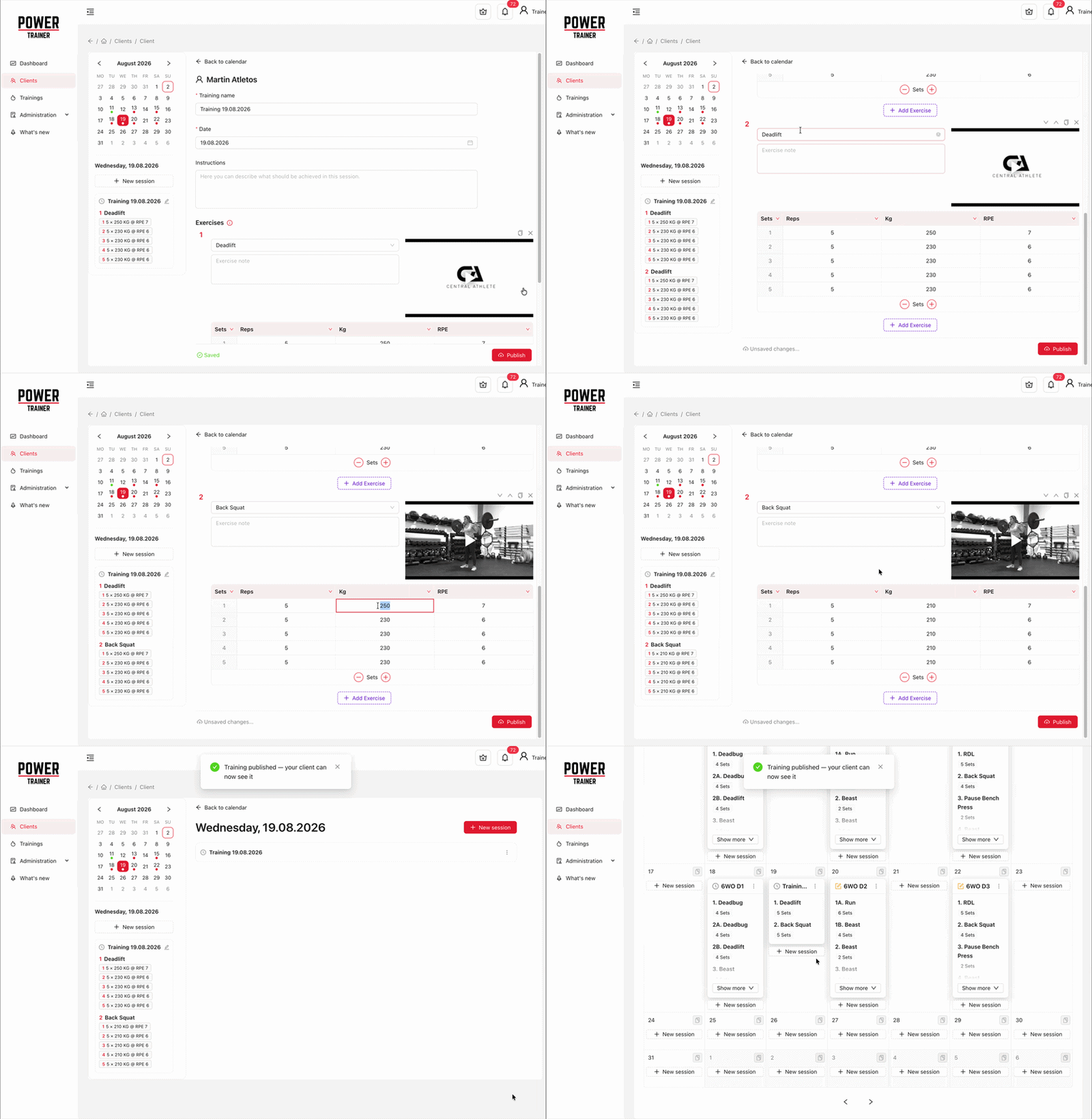
Draft to published, from the calendar
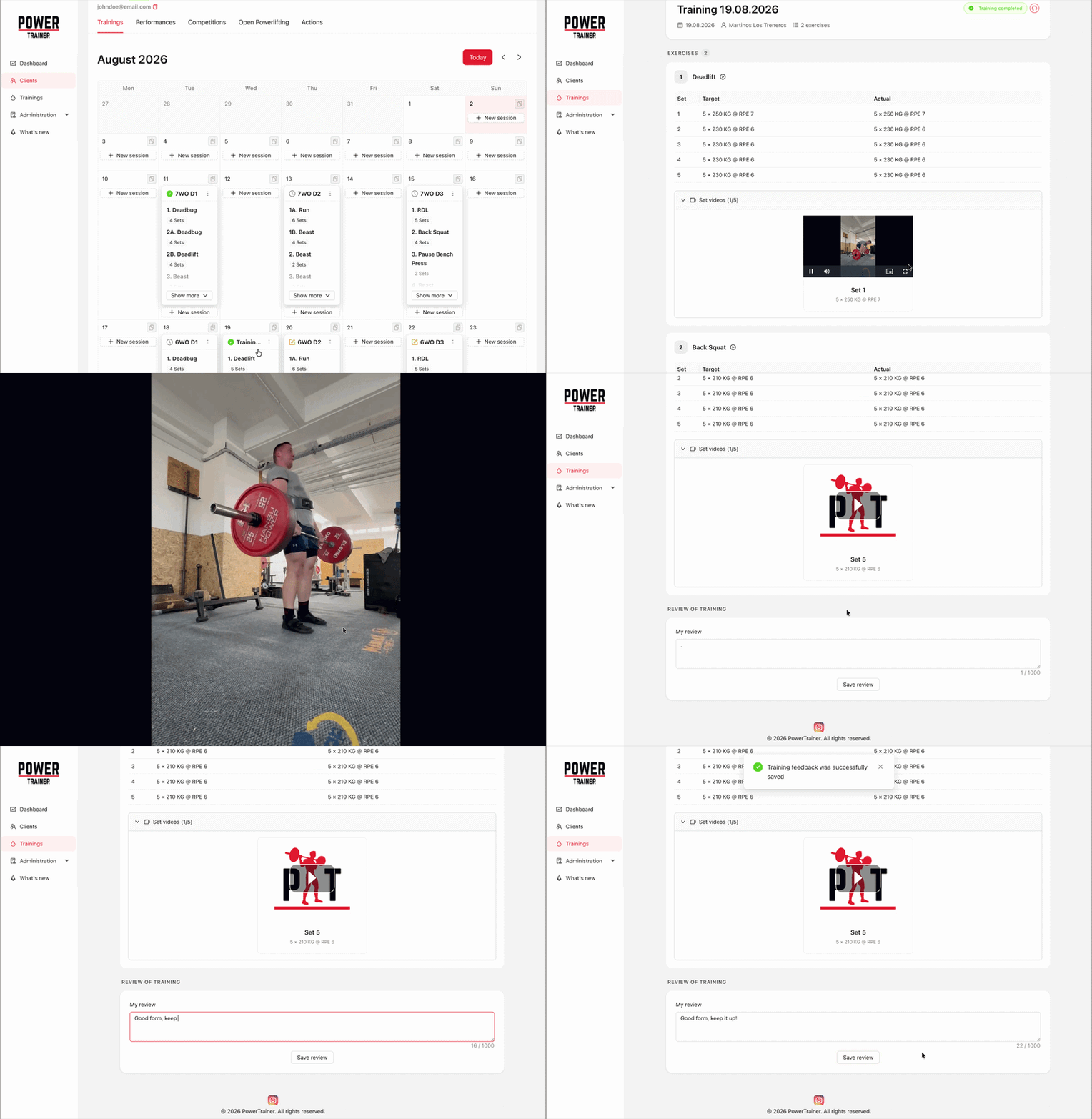
Video feedback on an athlete's attempt

Review the lift, not just the numbers

Athletes upload form videos from the session and your comments land on that training. A completed training stays flagged until you have reviewed it, so nothing slips past.

Talk it through, next to the training

Every coach and athlete share one chat — text, or a voice message when typing is too slow. Send a set’s video straight from the training, or attach a whole training, and it opens in one tap.


One platform, both sides of the coaching relationship

For trainers

  • Build programs set by set, in any unit you coach in
  • Deliver them straight to your athlete's calendar
  • Review form videos and answer where the work happened
  • Get found by athletes in the trainer catalog
See what trainers get

For athletes

  • Your coach's plan in your pocket, session by session
  • Log every set as you go — and add your own columns
  • Find a coach — compare prices and read reviews
  • Or plan your own trainings, competitions and PBs, with no coach at all
See what athletes get

Find a coach, or be found by one

The trainer catalog is where athletes look for a coach and trainers get found. Every profile says what the trainer specialises in, where and in which languages they coach, and what they charge.

  • Filter by focus area, language, location and the kind of offer — then set the most you want to pay
  • Star ratings and reviews from other athletes on every card
  • Ask for coaching with a message — your email and phone stay private until the trainer accepts
  • Trainers publish a profile with photos, prices and certificates, and the requests come to them

An exercise library you can extend

Browse the public exercise database and build your trainings from it — or add what it is missing.

Pay for the athletes you coach

All prices include VAT.

Free

up to 5 athletes

Free

per month

Pro

up to 20 athletes

300 CZK / €11.99

per month

Studio

up to 50 athletes

600 CZK / €24

per month

Training on your own instead? Solo is 110 CZK / €4.50 a month.

Compare plans

Get started in a few minutes

Shipped recently

We ship every couple of weeks.

1.25.1

Training actions on the training page

  • ImprovedA training's page now has the same ⋯ menu as its card in the calendar, next to the training's status. Edit, copy or delete the training from there, and if you're a trainer, publish or unpublish it. Copy asks which day to copy the training to, then opens the copy. Delete asks you to confirm, then takes you back to the calendar.
1.25.0

Create a missing exercise right from the training

  • AddedWriting a training and the exercise you need isn't in the list? Type its name in the exercise search and choose Create “<name>” at the bottom of the results. The exercise form opens over your training with the name already filled in. Once you save, the new exercise goes into that row, and nothing you've written in the training so far is lost.
  • ImprovedTutorial descriptions are now plain text. The formatting toolbar is gone, and the description is a simple text box that keeps your line breaks. If you wrote a description before this change, it may now show stray formatting marks such as <p> or <strong>. Open the tutorial, edit the description and save it to clean it up.
1.24.0

Send a video from a training to the chat

  • AddedA video recorded for a set can now go straight into the chat. Open the training, find the video under the exercise and use the message button on its card — it opens in your conversation with the other side, where you can write a line about it before sending. Both of you can do it: a trainer picks out a rep to comment on, an athlete asks about one. In the chat the video plays where the conversation is, and its title opens the training at that very set.
  • FixedOn a phone the send button needed two taps while the keyboard was open — the first one only closed the keyboard. One tap sends now.
  • FixedA conversation with a training or a video attached sometimes opened scrolled a little short of its newest message. It now stays at the newest one while those cards finish loading.
See all updates

Questions?

Drop us a line — we'll get back to you shortly.

Loading...